

by
Tebi
/
Make KDS work for your kitchen, spot regulars on your waitlist, and count inventory faster.
August tends to be a little quieter. A good moment to catch your breath, reset, and make sure everything is set up properly before the pace comes back in September. That's what this month's update is about — not new complexity to learn mid-service, but the kind of improvements that make your tools fit better when it matters.
Here's what's new.
Make Kitchen Display run your way

Kitchen Display should run the way your kitchen runs, not the other way around.
We've added more customisation to KDS this month, and rather than a list of settings to work through alone, we've put together two setup guides — one for restaurants and one for cafés — that walk you through how to configure it for your kitchen type. Whether you're running a single open kitchen or splitting tickets across stations, the guides go through the setup step by step.
Watch the Kitchen Display guides to get your display working the way your team needs it to.
Get to your waitlist faster
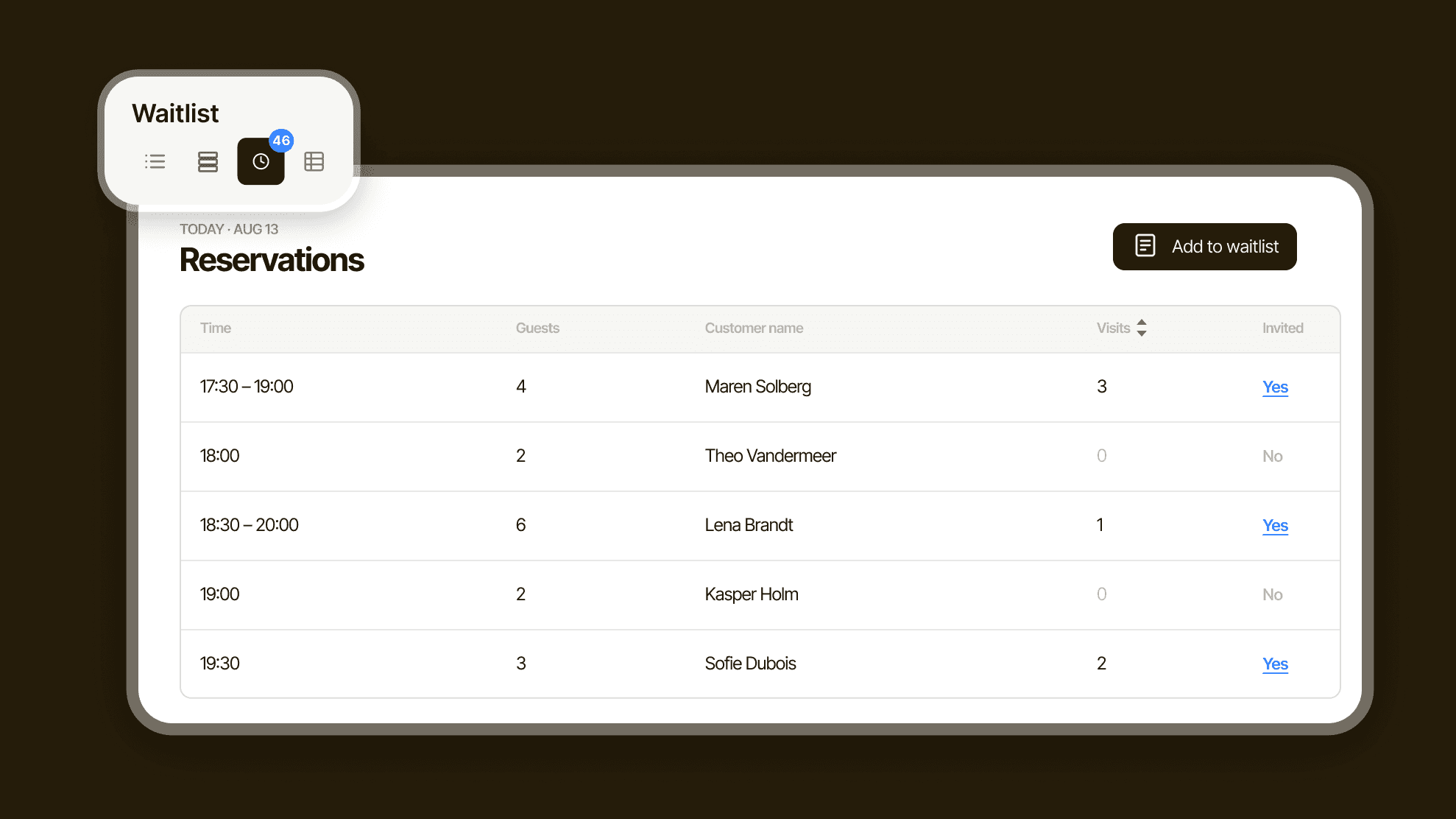
Managing a waitlist during a busy service used to mean leaving your reservations overview to do it. That's one screen too many when the floor is moving.
A new sidebar puts the waitlist one tap away from your main reservations view, so your host stays in one place while handling both held spots and incoming bookings. You can also sort the waitlist by visit history — handy when you want to give your most loyal guests the next available table rather than going purely by arrival order.
Count and update inventory in bulk
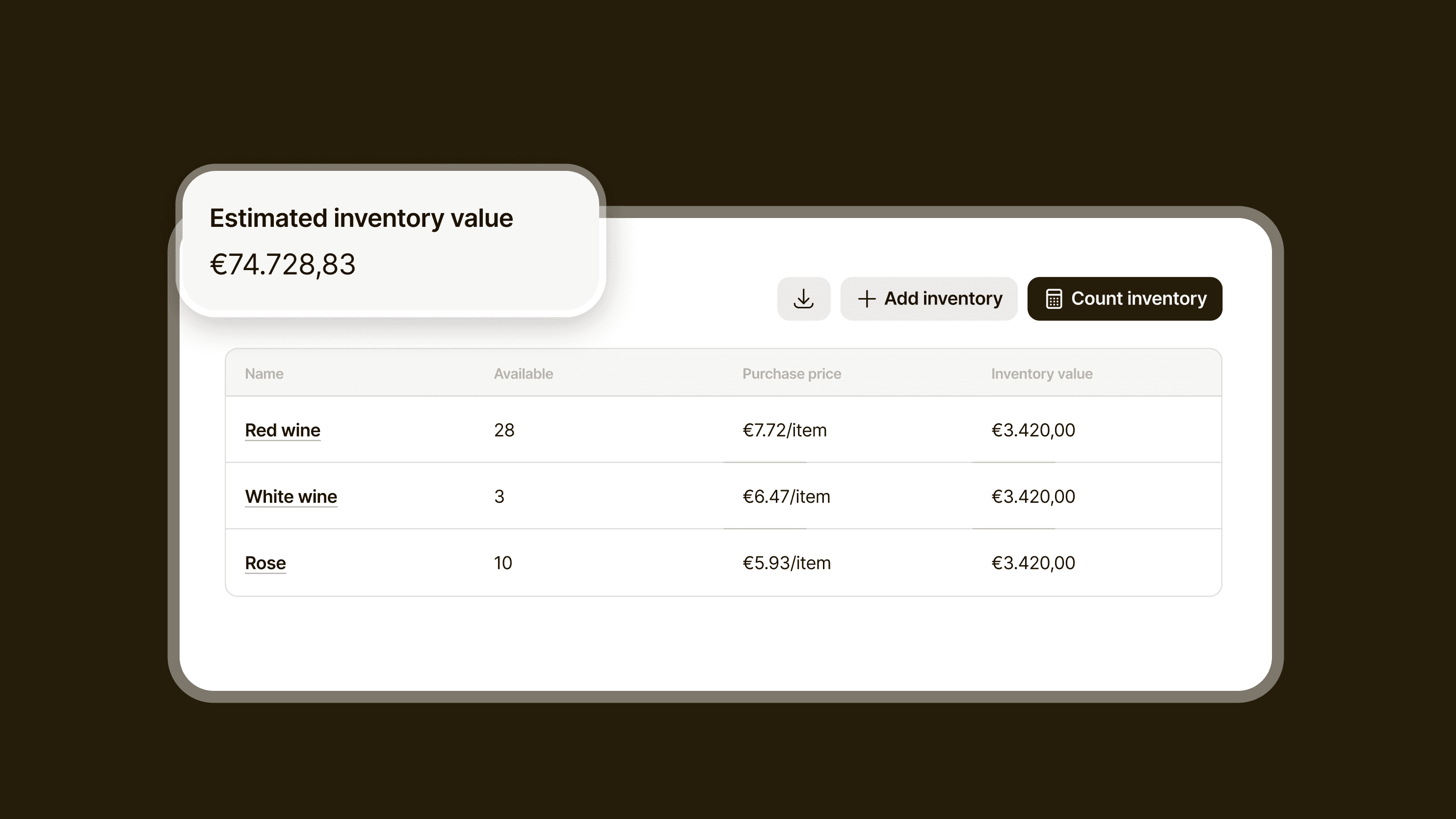
If your stock count happens offline — on paper, in a shared spreadsheet, or on a clipboard in the walk-in — getting those numbers into Tebi used to mean re-entering them manually.
You can now export your full inventory to a spreadsheet, make your updates there, and import the file straight back in. When you bring the numbers in, you choose how they apply: replace the existing count, or add to it. That second option is useful for ongoing top-ups where you're adding to what's already there rather than resetting from scratch.
At Esra: every guest note lands in Inbox before the table is set
The team at Esra uses Tebi Inbox to make sure every guest message and note is read and acted on before service starts — so they know exactly who's coming and what they need before the table is even laid.
If you haven't looked at Inbox yet, this is a good moment.
More improvements this month
Fully booked days, flagged. Guests now see which days are full on the reservation widget calendar and get prompted to choose a different time if their slot is gone. Fewer incomplete bookings, less back-and-forth by email.
Tips and gratuity, sorted. Gratuity now calculates on the full sale total even when a prepayment was applied, so your team gets the tip they earned. The payment report also splits tips and gratuities into their own column for cleaner reconciliation.
Help setting up your hardware. When you place a hardware order, you can now request an installation partner to help you set up printers, displays, and more. Go to the hardware store to take a look.
Read the full list on the changelog >
Update to the latest version on iOS or Android to get everything above.
Questions? Reach out at support@tebi.com.